

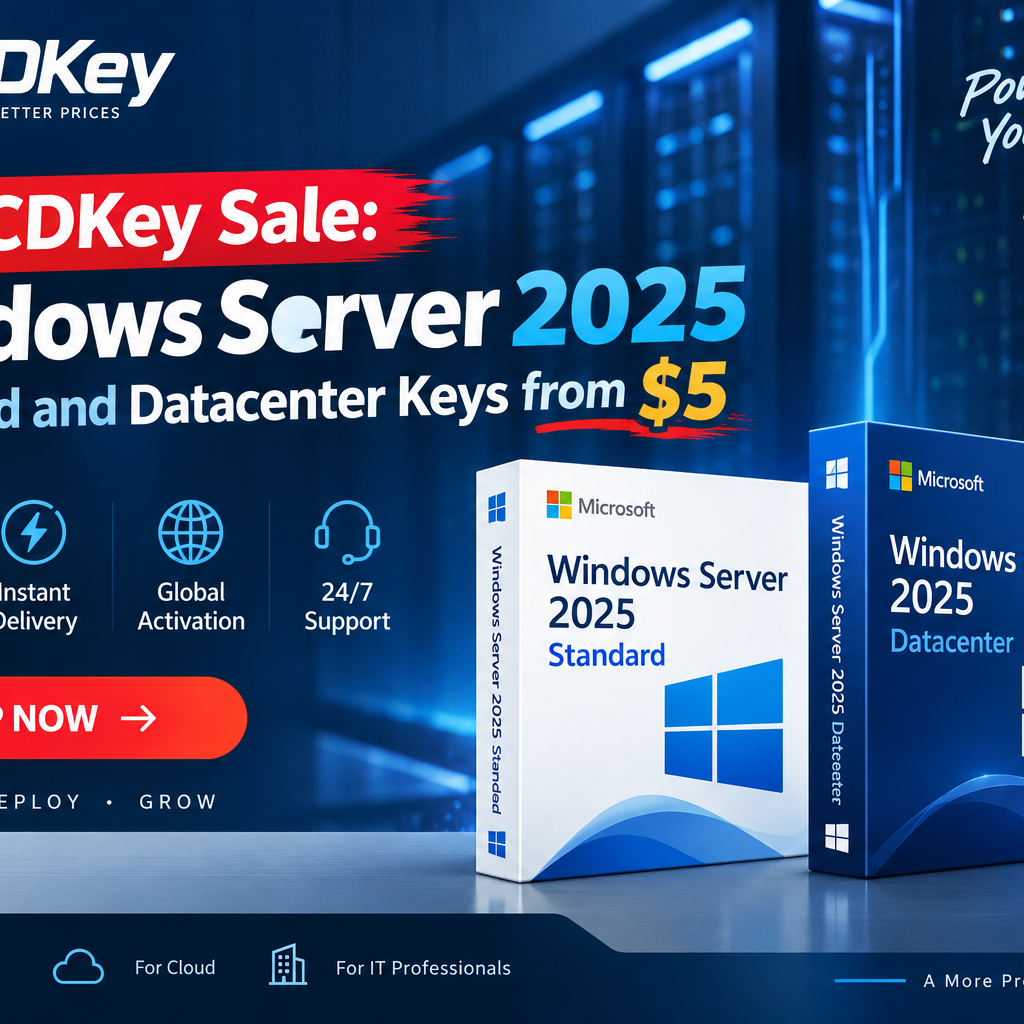
Windows Server 2025 Licensing: What Small Businesses Are Paying, and Why Many Are Buying Elsewhere
Windows Server 2025 is licensed per physical core, with a 16-core minimum per server and Client Access Licences layered on top. For a small business running a single two-socket host, that structure often produces a bill in the four figures before a single user has logged in. [VERIFY: confirm current Microsoft list pricing before publishing, as CAL and core pricing changed at the 2025 release.]
That gap between what Microsoft lists and what a ten-person company can justify is why the software resale market exists, and why it keeps growing.
What actually changed in Windows Server 2025
Windows Server 2025 shipped as the successor to Server 2022, bringing hotpatching for reduced reboots, improvements to Active Directory, an updated Hyper-V stack, and tighter default security around SMB and credential handling. The licensing model itself did not change shape: core-based, with Standard and Datacenter as the two main editions.
For most businesses the practical decision is still the same one it has been since Server 2016. How many virtual machines do you plan to run on this host?
Standard or Datacenter: the decision in one line
Standard covers two virtual instances per licensed host. Datacenter covers unlimited virtual instances on that host. Everything else follows from that.
| Windows Server 2025 Standard | Windows Server 2025 Datacenter | |
|---|---|---|
| Virtual instances per licensed host | 2 | Unlimited |
| Storage Spaces Direct | Not included | Included |
| Software-Defined Networking | Not included | Included |
| Shielded Virtual Machines | Not included | Included |
| Best suited to | File, print, AD, single-app workloads | Virtualisation hosts, private cloud, clustered storage |
If you are running a domain controller and a file server on one box, Standard is the right edition and Datacenter is money spent on features you will not switch on. If you are running six or more VMs on a single host, the arithmetic flips quickly, because stacking additional Standard licences to cover more instances gets expensive faster than most people expect.
The trap sits in the middle. At three or four VMs, buyers often stack Standard licences without checking what Datacenter costs at that point, and end up paying more for fewer features. Run the comparison at your actual VM count rather than assuming Standard is always the cheaper edition. WinCDKey lists both alongside each other in its Windows Server 2025 category, which makes that comparison easier to do in one place.
Where discounted Server keys come from
This is the question every buyer should ask and most sellers avoid answering, so here it is directly.
Heavily discounted licence keys generally originate from one of a few channels: volume licensing agreements where the original holder did not deploy all entitlements, regional pricing differences where the same licence costs substantially less in one market than another, unsold distributor stock, or business liquidations. Some of those channels are well established, and within the EU the principle of exhaustion has long supported the resale of legitimately purchased software licences under certain conditions. Others sit in a grey area, and the terms attached to a specific licence vary by agreement and region.
What that means in practice: a cheap key is not automatically invalid, and it is not automatically fine either. The thing that separates the two is the seller’s sourcing and what happens when a key fails.
A common pattern support teams see is a key that activates on day one and deactivates weeks later, when the original volume agreement it came from is audited. That is not a technical fault in the key. It is a sourcing problem, and no amount of reinstalling fixes it. The only real protection a buyer has is a seller who replaces a failed key without argument, and a payment method that leaves a dispute route open.
Five checks before you buy any discounted Server licence
- Confirm the edition and activation type before paying. Retail, OEM, MAK and KMS keys behave differently. A MAK key intended for a volume deployment will not behave like a retail key on a single server, and an edition mismatch is the single most common cause of an activation failure that gets blamed on the key.
- Check the replacement policy, not just the refund policy. Ask specifically what happens if the key stops working in month three.
- Look for independent reviews outside the seller’s own site. Reviews hosted on the seller’s domain tell you nothing.
- Pay through a channel with a chargeback or dispute mechanism. Direct bank transfer and crypto leave you with no recourse.
- Test activation on the target hardware within the refund window, not a month later when the server finally goes into production.
The WinCDKey Server 2025 sale
WinCDKey, a UK-registered digital licence retailer, is running a promotion across its Windows Server 2025 range, with Windows Server 2025 Standard keys and Windows Server 2025 Datacenter keys discounted for the duration of the sale.
Keys are delivered by email as electronic software download, typically within minutes of payment clearing, which suits teams who need to bring a host online the same day rather than waiting on a purchase order.
The company also publishes its own installation documentation, which is worth checking before you buy rather than after, since it tells you what the activation process will actually involve. There are separate walkthroughs for Windows Server 2025 Standard and for Windows Server 2025 Datacenter, each covering ISO download, installation and the activation sequence step by step. Microsoft’s own Windows Server documentation remains the reference point for edition features and system requirements.
FAQ
Can I upgrade Windows Server 2025 Standard to Datacenter later?
Yes. Windows Server supports an in-place edition upgrade from Standard to Datacenter using DISM with a valid Datacenter key, without reinstalling. The reverse is not supported. You cannot downgrade Datacenter to Standard without a clean installation, which is why over-buying the edition is harder to undo than under-buying it.
Do I still need CALs if I buy a discounted server licence?
Yes. Client Access Licences are a separate requirement from the server licence itself, and a discounted server key does not cover the users or devices connecting to it. Budget for CALs separately.
Why do some cheap Server keys stop working after a few weeks?
The usual cause is the key’s origin rather than the key itself. Keys drawn from a volume agreement that is later reclaimed or audited can be deactivated at the source, which shows up on the server as a sudden activation failure. Buying from a seller with a documented replacement policy is the practical safeguard.
Is buying a resold Windows Server licence legal?
It depends on the licence type and the jurisdiction. Resale of legitimately acquired licences has established legal support in the EU under the principle of exhaustion, while some volume licence agreements restrict transfer. Businesses in regulated sectors or facing formal software audits should confirm their position with the vendor or a licensing specialist rather than relying on a seller’s assurance.
How quickly can I get a Server 2025 key after purchase?
Electronic delivery means most reputable resellers send the key by email within minutes of payment clearing, though orders flagged for fraud review can take longer.
Related posts
 GamingBest CD Key Price Comparison Sites in 2026 (US & Europe)Oct 20, 2026
 Tech NewsMicrosoft Unveils Surface Pro 12-inch and Surface Laptop 13-inch with Snapdragon X2 Plus: Price, Specs and Release DateSep 24, 2026
 Tech NewsWindows 11 KB5124010: 15 New Features, Open Apps Maximized, Fixes File History, Final 24H2 Preview!Sep 24, 2026